PDF documents are used everywhere today, from professional documents like contracts and reports to school assignments and official forms. However, documents often need updates, extra information, or corrections. In such cases, learning how to add pages to PDF files becomes extremely useful. With a modern online PDF editor, users can easily add pages to PDF online, insert new content, or even merge PDF files without installing any software.
These free PDF tools allow fast editing through a browser-based PDF tool, making document updates simple and accessible worldwide. Whether you need to add blank page to PDF or insert pages into PDF, online solutions now make PDF file management quick, secure, and efficient.
With the help of modern online PDF editors, users can now edit PDF pages online without installing any software. These browser-based PDF tools offer fast PDF processing, cloud storage integration, and secure PDF editing, making document management simple and efficient.

What Does “Add Pages to PDF” Mean?
Adding pages to a PDF means inserting new content into an existing document without recreating the file from scratch. This may include adding a blank page to PDF documents, inserting pages from another file, or combining multiple PDFs into a single document. For beginners, this process might seem complicated, but online tools make it extremely simple.
When users insert pages into PDF files, the original formatting remains intact. This ensures that professional documents such as contracts and reports maintain consistency while still allowing updates. A PDF page organizer visually displays all pages, allowing users to manage documents with precision.
Why You May Need to Add Pages to a PDF File
Many real-world scenarios require editing PDF files. Business professionals often update reports, invoices, or agreements after revisions. Students frequently modify school assignments by inserting references or project extensions. Administrative forms also require additional pages when information changes.
Instead of recreating an entire document, adding pages improves productivity and reduces errors. Proper PDF file management ensures documents remain professional, organized, and easy to share.
How to Add Blank Pages to a PDF Online
Adding a blank page is one of the most common PDF editing tasks. Using an online PDF editor, users can upload a file directly from their device or use cloud storage integration to upload PDF from Google Drive or upload PDF from Dropbox.
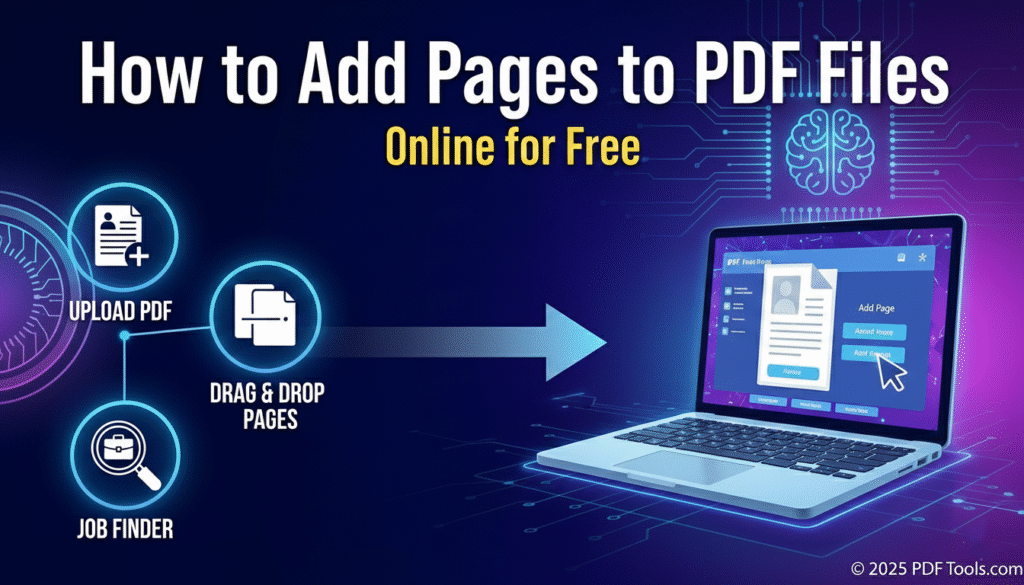
After uploading, the organize tool displays a page preview. By moving the cursor over a page and clicking the plus icon, a new blank page is instantly inserted. This process requires no software installation and works entirely in the browser. Once completed, users can download the final PDF within seconds.
How to Insert Pages from Another PDF File
Sometimes information already exists in another document. Instead of copying content manually, users can add PDF pages from another PDF. This method is especially useful when dealing with appendices, legal clauses, or supporting materials.
The online PDF editor allows users to upload the primary document, then insert pages from a secondary file. The inserted pages retain original formatting, ensuring accuracy and professionalism throughout the document.
How to Rearrange or Delete PDF Pages Easily
Proper structure is essential for readability. Online tools allow users to rearrange PDF pages using simple drag-and-drop functionality. This helps fix incorrect sequences and improve document flow.
Unnecessary pages can also be removed quickly. Users can delete PDF pages such as outdated drafts or blank pages, resulting in a clean and polished document suitable for professional use.
How to Merge PDF Files to Add Multiple Pages
When multiple documents need to be combined, merging PDFs is the most efficient solution. A PDF merge tool allows users to combine PDF documents into a single file without affecting quality.
The merge tool works by uploading several PDFs, arranging them in order, and processing them together. This approach is ideal for reports, portfolios, and official records that require multiple files in one place.
Add Page Numbers, Sign PDFs and More
After adding pages, further enhancements improve usability. Page numbers help readers navigate long documents. Digital signatures provide authenticity and are commonly used in contracts and reports.
Many free PDF tools also support scanning paper documents into PDFs, creating a complete online document workflow that reduces paperwork and increases efficiency.
Can You Add Pages to PDF on Mobile or Desktop?
PDF editing is no longer limited to desktop computers. Mobile applications allow users to add pages to PDFs directly from smartphones, making it convenient for on-the-go edits.
Desktop tools offer offline editing options, ensuring privacy and uninterrupted work. Both methods provide flexibility for users managing documents across devices.
Is It Safe to Add Pages to PDFs Online?
Security is a top priority when editing documents online. Trusted platforms use SSL encryption to protect files during upload and processing. Automatic file deletion ensures that documents are removed after a short period.
Most reputable tools are GDPR compliant and follow ISO 27001 security standards, making online PDF editing safe for sensitive professional documents
How to Add Blank Pages to a PDF Online
Using an online PDF editor, you can upload your file from your device or via cloud storage options like Google Drive or Dropbox. With the organize tool, move your cursor over a page and click the plus icon to add blank page to PDF. This feature is ideal for signatures, notes, or extra sections. Once completed, you can download final PDF directly. For converting images to PDF for adding more pages, try our internal tool JPG to PDF Converter. For additional guidance on PDF tools, check out this external guide on adding pages to PDF.
How to Merge PDF Files to Add Multiple Pages
When combining several documents, using a PDF merge tool is efficient. Upload multiple files, arrange the pages, and merge them into a single PDF. This process is faster than inserting pages one by one and ensures formatting is preserved. Free PDF tools like online PDF editors also allow rearrange PDF pages and delete PDF pages before merging. For additional conversions, you can create PDFs from images using our internal JPG to PDF Converter.
FAQs About Adding Pages to PDF Files
Can I add pages to PDF online for free?
Yes, many online PDF editors allow users to add pages to PDFs online at no cost.
Is software required to edit PDF pages online?
No, browser-based PDF tools work without software installation.
Can I merge PDF files and insert pages together?
Yes, merging and inserting pages can be done using the same merge tool or organize tool.
Are online PDF tools suitable for school and office work?
Yes, they are widely used for school assignments, contracts and reports.
Final Thoughts
Learning how to add pages to PDF files online gives users full control over their documents. Whether adding a blank page, merging files, or organizing pages, online tools provide speed, flexibility, and secure PDF editing. With no software required and global accessibility, these solutions are ideal for everyday document management.