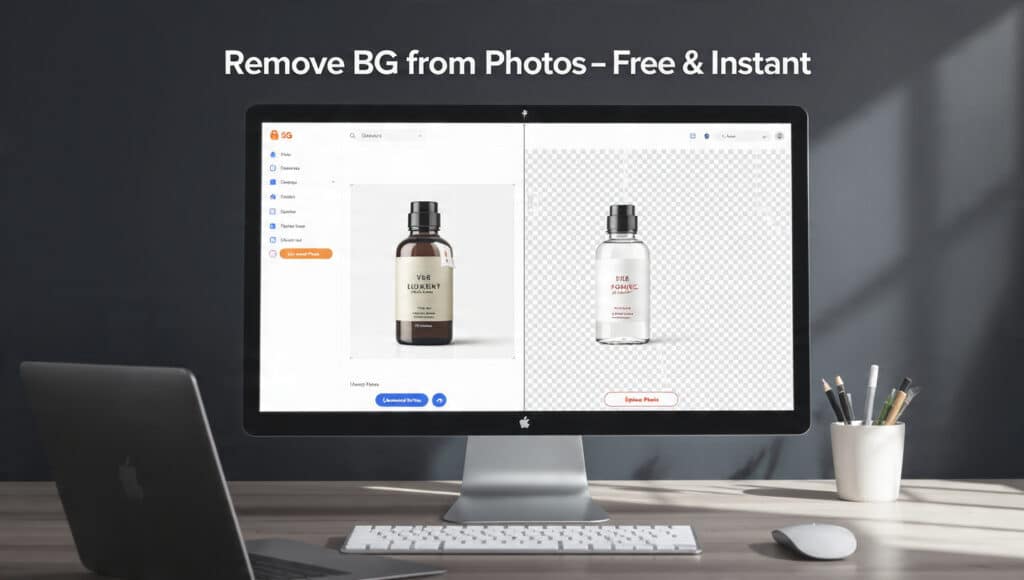
Get a perfect, transparent background for any image in seconds with our free, AI-powered BG remover.
Remove BG from Photos
How to Remove BG in 3 Seconds Flat
Our tool makes background removal effortless. There are absolutely no skills needed to get started. You can achieve a clean, professional result with a single click, making this the fastest way to get a transparent image for any project.
Step 1: Upload Your Image
To begin, simply click the “Choose File” button and select any photo from your computer or mobile device. For an even faster workflow, you can drag and drop your image file directly onto the page. The process starts instantly.
Step 2: Let AI Do the Work
The moment you upload your photo, our intelligent AI instantly detects the main subject—whether it’s a person, product, or object. It then automatically removes the background in just a few seconds. There is no need for manual selection, clumsy outlining, or fine-tuning.
Step 3: Download Your New Image
Your new image with a perfectly transparent background is ready almost immediately. Just click the “Download” button to save it to your device as a high-quality PNG file. It’s now ready to use anywhere you need it, 100% free of charge Remove BG from Photos.
Why Our BG Remover is the Best Choice
Not all free tools are created equal. While others compromise on quality, privacy, or cost, we focus on delivering a superior experience in all three areas. Get professional results without the typical cost or complexity of advanced software Remove BG from Photos.
Truly Free, No Strings Attached
We mean it when we say our tool is 100% free, forever. There are no hidden fees, subscription pop-ups, or surprise charges. You don’t need to sign up for an account or provide a credit card to use the service. Best of all, you can download high-resolution images without any distracting watermarks.
Your Privacy is Guaranteed
Your privacy is our top priority. Unlike other online tools, our BG remover processes all your files locally in your own browser. This means your images never leave your device. We don’t upload, review, or store your photos on our servers, giving you complete peace of mind.
AI-Powered for Precision Cutouts
Our smart AI is trained to handle even the most challenging details, like wisps of hair, animal fur, and complex edges. This ensures you get a clean, crisp outline on every image, every time. It’s powerful enough for complex photos but simple enough for any user. Try it now and see the magic!
Top Uses for Images with a Transparent Background
A transparent background unlocks endless creative possibilities. It allows you to easily place your main subject onto any new background, color, or design, making it a vital tool for both professional and personal projects.
E-commerce Product Photos
Create clean, consistent product listings for e-commerce platforms like Amazon, Shopify, or eBay. By removing distracting backgrounds, you can place your product on a pure white or branded color backdrop, helping to increase sales with professional-looking images that grab attention.
Logos, Signatures, and Graphics
Easily isolate your company logo to place it on websites, presentations, or marketing materials without a clunky white box around it. You can also create a digital version of your handwritten signature for documents. It’s an essential tool for any graphic design project.
Social Media Profile Pictures & Posts
Make your profile picture (PFP) pop by removing the original background and adding a custom one that reflects your personality or brand. Create stunning graphics for Instagram stories, Facebook posts, or YouTube thumbnails by layering images easily for memes, announcements, or creative collages.
Frequently Asked Questions Remove BG from Photos
Is this BG remover tool really free to use?
Yes, absolutely. Our tool is 100% free to use with no hidden costs, subscriptions, or limitations on the number of images you can process.
Will I lose image quality when I remove the background?
No. Our tool is designed to maintain the original resolution and quality of your subject. You get a clean cutout without sacrificing sharpness or detail.
What file formats can I upload?
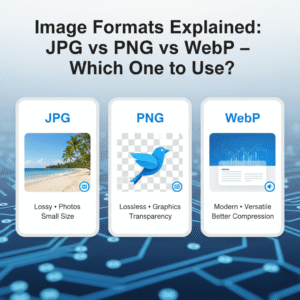
You can upload images in the most common formats, including JPG, PNG, and WEBP. The output will always be a high-quality PNG file with a transparent background.
Do you save or store my images?
No. For your privacy, all processing is done directly in your web browser. Your images are never uploaded to our servers, so they remain completely private to you.
Can I use this tool on my phone?
Yes. Our background remover works on any device with a modern web browser, including smartphones, tablets, and desktop computers. No app installation is required.
How is this different from using Photoshop?
Our tool is designed for one purpose: to remove backgrounds instantly and easily. While Photoshop is a powerful, complex program that requires skill and a paid subscription, our tool is free, requires no experience, and delivers results in a single click Remove BG from Photos.
Stop wasting time with complicated software or services that compromise your privacy. With our powerful and private in-browser tool, you get instant, AI-powered results that are 100% Free Forever. Get the perfect cutout for your projects today. Remove Background From Your Image Now ⚡

Leave a Reply